

What Is an AI PC?
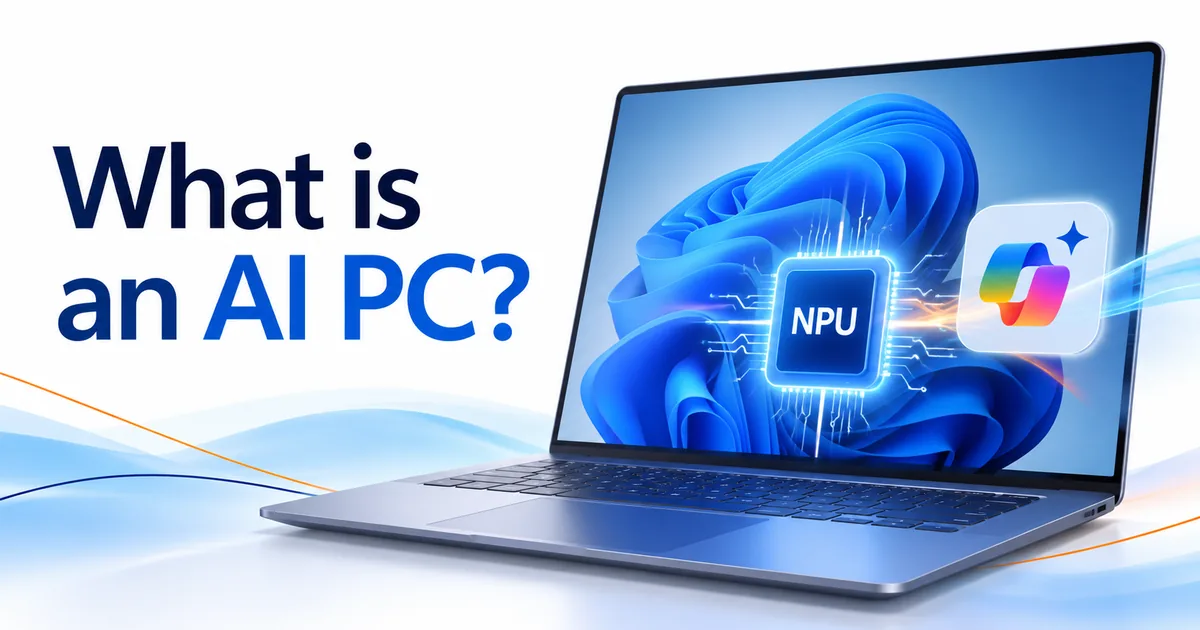
An AI PC is a computer with a neural processing unit (NPU), a chip built to run certain artificial intelligence tasks right on the device. Microsoft’s Copilot+ PCs are a specific class of Windows 11 AI PC with higher requirements: a compatible NPU capable of 40+ TOPS, 16 GB of RAM, and 256 GB of storage. You don’t need a Copilot+ PC to use the Microsoft Copilot app on a regular Windows 11 computer.
As AI becomes a bigger part of Windows, it helps to know how an ordinary computer, an AI computer, and a Copilot+ PC differ. None of them decides whether you need Windows 11 Home or Windows 11 Pro, though. This guide covers the hardware, the Copilot+ PC requirements, the features that need them, and how to pick a Windows 11 edition.
What is an NPU and what does TOPS mean?
An NPU, or neural processing unit, is a specialized processor for the math behind artificial intelligence and machine learning.
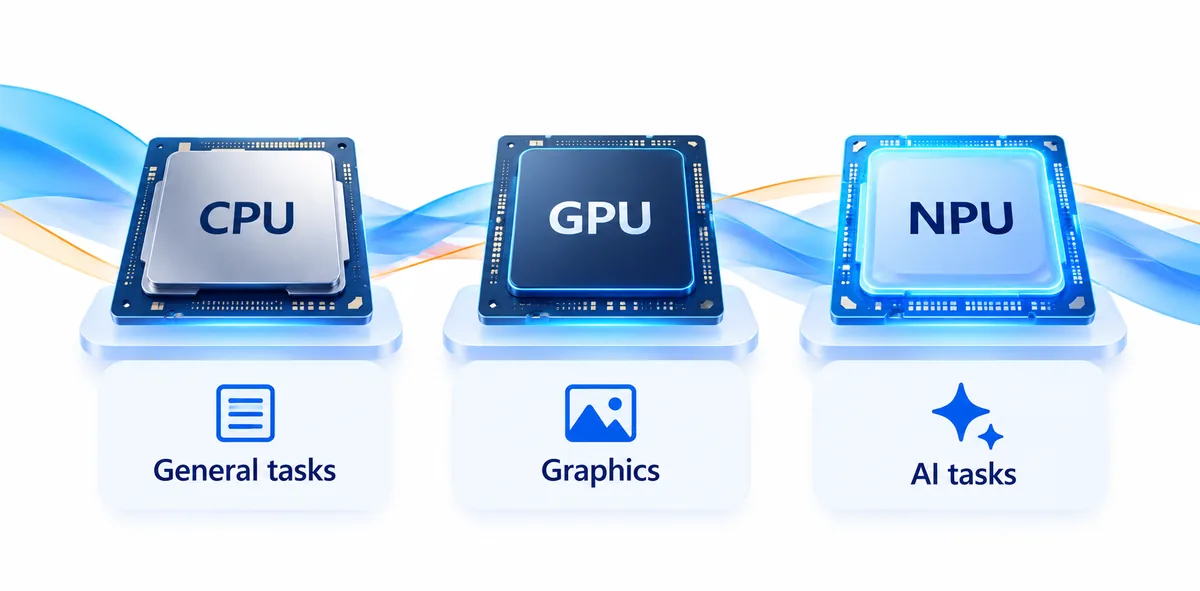
Most computers rely on the central processing unit (CPU) and graphics processing unit (GPU). An AI PC adds an NPU to speed up compatible AI tasks. Microsoft describes the NPU as a chip for AI-intensive work like real-time translation and image generation, designed to run the deep learning math that AI models are built on.
For the technical details, see Microsoft’s Copilot+ PC developer guide.
How is an NPU different from a CPU or GPU?
Each processor has its own job:
- CPU: Runs general computing tasks, the operating system, and everyday apps.
- GPU: Speeds up graphics and parallel computing, including some AI workloads.
- NPU: Runs AI calculations, with a focus on energy efficiency.
An NPU doesn’t replace the CPU or GPU. It works alongside them, and Microsoft says Windows 11 assigns processing tasks to the most appropriate place.
For example, an app that supports the NPU could use it for AI effects during a video call instead of sending every calculation through the CPU. Installing an AI app doesn’t guarantee it will use your NPU, though. Microsoft notes that software has to be specifically programmed to take advantage of it.
What does 40+ TOPS mean for an AI PC?
TOPS stands for trillion operations per second. It describes how much work certain AI hardware can handle. A 40 TOPS NPU is rated for about 40 trillion operations per second.
Microsoft sets 40+ TOPS as the minimum NPU requirement for Copilot+ PCs, as it explains on its Windows 11 specifications page.
TOPS alone doesn’t tell you how fast a computer will feel. Real AI performance also depends on the app, whether it supports NPU acceleration, available memory, and how complex the workload is.
What are the Copilot+ PC requirements?
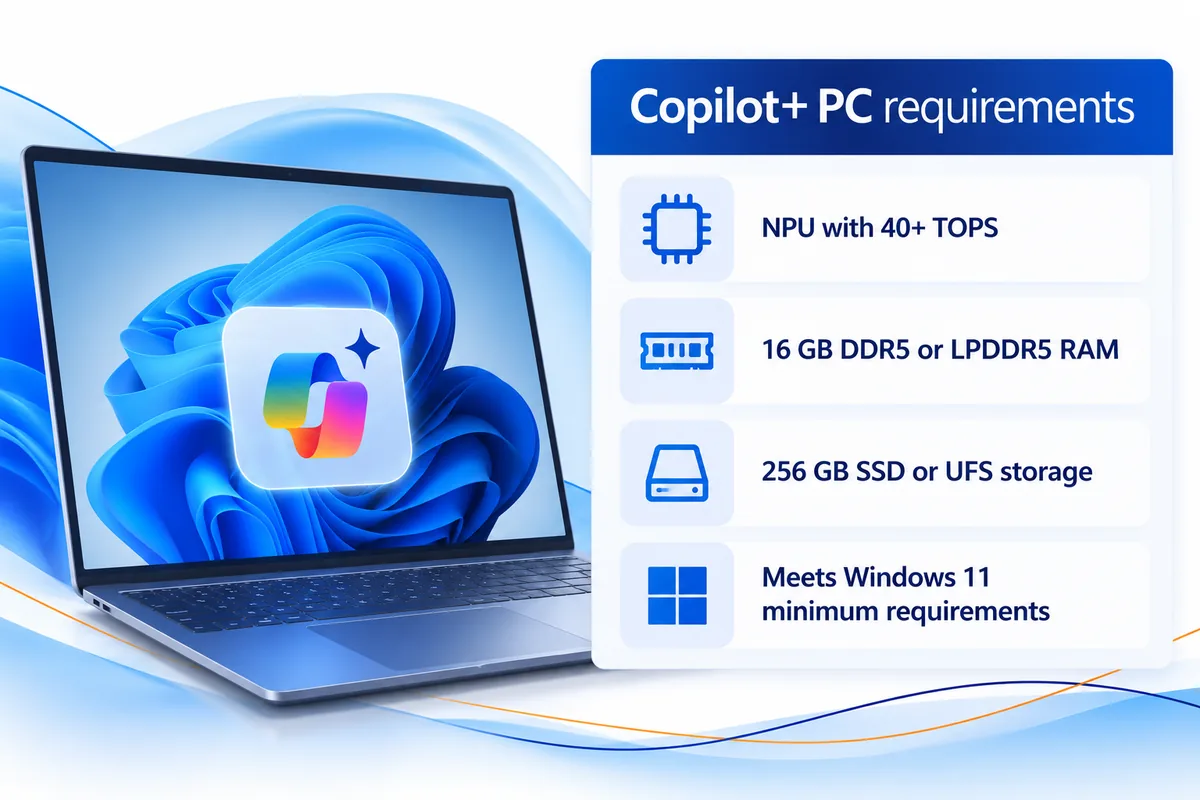
Copilot+ PCs have to meet specific processor, memory, and storage requirements on top of the standard Windows 11 system requirements.
According to Microsoft’s official Windows 11 specifications, the minimum Copilot+ PC hardware requirements are:
| Hardware component | Minimum Copilot+ PC requirement |
|---|---|
| Operating system | Windows 11 |
| Processor | Compatible processor or system on a chip (SoC) |
| Neural processing unit | 40+ TOPS |
| Memory | 16 GB DDR5 or LPDDR5 RAM |
| Storage | 256 GB SSD or UFS |
| Supported processor families | AMD Ryzen AI 300 and 400 series, Intel Core Ultra 200V and 300V series, and Snapdragon X series |
| Additional requirements | Standard Windows 11 system requirements, plus any feature-specific requirements |
Source: Microsoft’s Windows 11 specifications page. Microsoft presents those processor families as its current list, and notes that feature, app, and hardware requirements may change over time.
Is a 40 TOPS NPU enough to make a computer a Copilot+ PC?
No. A 40+ TOPS NPU is required, but it isn’t enough on its own.
Microsoft points out that some Windows 11 PCs have a 40+ TOPS NPU but don’t meet all the Copilot+ PC requirements. A computer with a compatible 40+ TOPS NPU and fewer than 16 GB of RAM, for example, is not a Copilot+ PC. The same goes for one with a lower storage configuration.
Microsoft says those devices can still run compatible AI workloads locally, but they won’t get unique Copilot+ PC experiences like improved Windows search and Click to Do. Every requirement has to be met.
How can you check whether an AI computer meets the requirements?
Before you buy an AI computer, read the manufacturer’s published specs. Look for:
- A compatible processor with a 40+ TOPS NPU
- At least 16 GB of DDR5 or LPDDR5 memory
- At least 256 GB of SSD or UFS storage
If you want Microsoft’s Copilot+ features, also confirm that the model is identified as a Copilot+ PC. An “AI PC” label on its own is no substitute for checking.
AI PC vs Copilot+ PC: What’s the difference?
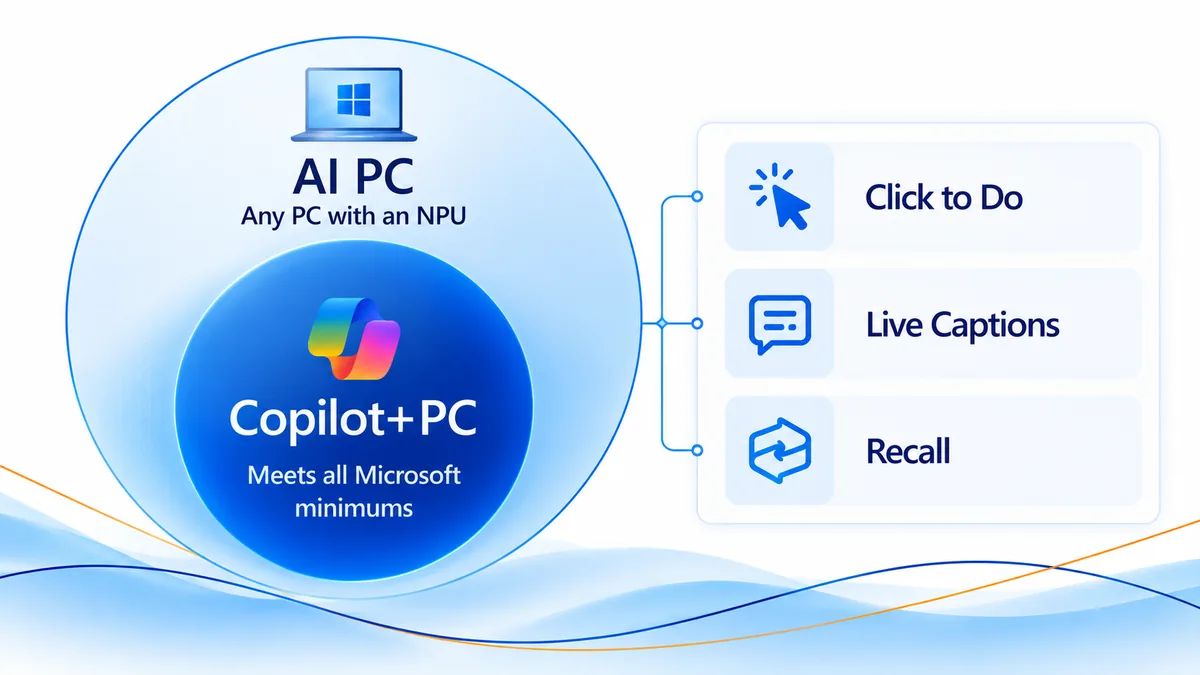
Every Copilot+ PC is an AI PC, but not every AI PC is a Copilot+ PC.
“AI PC” is a broad term for computers with dedicated AI hardware. A Copilot+ PC is a specific class of Windows 11 computer that meets Microsoft’s higher requirements, which unlock certain Windows features.
| Feature | Standard Windows 11 PC | AI PC | Copilot+ PC |
|---|---|---|---|
| Dedicated NPU | Not required | Yes | Yes |
| 40+ TOPS NPU | Not required | Not necessarily | Required |
| 16 GB RAM minimum | Not required | Varies | Required |
| 256 GB qualifying storage minimum | Not required | Varies | Required |
| Microsoft Copilot app | Supported | Supported | Supported |
| Unique Copilot+ experiences | Not available | Only if all requirements are met | Supported, subject to feature availability |
Is a Copilot PC the same as a Copilot+ PC?
Not necessarily. People sometimes say “Copilot PC” to mean any Windows computer that can use Microsoft’s AI assistant. Copilot+ PC is Microsoft’s name for a specific hardware category.
Having the Copilot app installed, or a Copilot key on the keyboard, doesn’t make a computer a Copilot+ PC. It has to meet Microsoft’s published specifications.
Should you trust AI computer marketing labels?
When you’re shopping for an AI computer for sale, focus on the hardware specs, not the product description.
A computer advertised as an AI PC may handle some AI workloads without qualifying for every Copilot+ experience. Confirm the NPU, processor, memory, and storage before you buy.
What can a Copilot+ PC do that other PCs can’t?
Copilot+ PCs get Windows AI experiences that depend on Microsoft’s higher hardware requirements. Microsoft describes them on its Copilot+ PCs for business page.
What is Live Captions with real-time translation?
Live Captions is part of Windows 11 and creates captions for audio on your PC in real time. On a Copilot+ PC, it can also translate. Microsoft says it translates audio and video from more than 40 languages into English, which can help in meetings, presentations, and videos in another language.
What is Recall on a Copilot+ PC?
Recall helps you find things you’ve already seen on your computer, like a document or webpage you remember but can’t name.
Microsoft lists Recall as a Copilot+ PC experience and labels it as a preview. It’s turned off by default, requires Windows Hello Enhanced Sign-in Security, and comes with controls for IT administrators. Businesses should review its privacy, security, and admin controls before turning it on.
What does Click to Do do?
Click to Do looks at text and images on your screen and suggests next steps, which means less time switching between apps.
Available actions vary by device, region, language, and character set, and some require a subscription. Microsoft lists Click to Do among the unique experiences that need a PC meeting all the Copilot+ PC requirements.
How does improved Windows search work?
Improved Windows search lets you find files by describing them. If you remember a presentation’s topic but not its file name, you can search by the topic.
Microsoft notes that it works only with specific text, image, and document formats and is optimized for select languages.
Are all Copilot+ PC features available on every qualifying device?
Not necessarily. Meeting the minimum specs makes a device eligible, but Microsoft says Copilot+ PC experiences vary by device and region and may require updates. If a specific feature matters to you, confirm it’s available before you buy.
Do you need an AI PC to use Copilot?
No. Microsoft says that if your PC runs Windows 11, it’s already compatible with Copilot. You don’t need a Copilot+ PC NPU to use the Microsoft Copilot app.
Microsoft Copilot is an AI assistant that can answer questions, help you write, and summarize information. Microsoft notes that Windows 11 supports cloud-based AI experiences through apps like Microsoft Copilot.
Microsoft offers the Copilot app on desktop, on the web, and on mobile devices, and feature availability varies by account and subscription. You can learn more from Microsoft’s Copilot app documentation.
Is using Copilot different from running AI locally?
Yes. Many AI apps send your requests to cloud services. Others run supported calculations on the computer itself, and an NPU is designed to speed up that local work. Having an NPU doesn’t mean every AI app will run on your device.
If you’re looking at AI for PC productivity and mainly want everyday help from Copilot, a standard Windows 11 computer may already meet your needs.
For more about Copilot itself, see our Copilot and Windows 11 guide.
Windows 11 Home or Pro on an AI PC?
Both Windows 11 Home and Windows 11 Pro can run on compatible AI PC hardware. A computer doesn’t need Windows 11 Pro because it has an NPU or qualifies as a Copilot+ PC. The choice comes down to the operating system features you need, especially for business.
When does Windows 11 Pro make sense for an AI PC?
Windows 11 Pro adds security and business networking features that Home doesn’t include, such as:
- BitLocker Drive Encryption to protect the data stored on your PC
- Remote Desktop, which lets you connect to that PC from another device
- The ability to join a domain or Microsoft Entra ID, which businesses use to manage company devices and sign-ins
These features matter when employees handle company information, work remotely, or use computers managed by IT. A small business may want Windows 11 Pro for those reasons, whether or not its computers have special AI hardware.
Our Windows 11 Home vs Pro for Small Business guide explains the differences in more detail.
Can Windows 11 Pro turn a regular computer into a Copilot+ PC?
No. Installing Windows 11 Pro doesn’t add an NPU, raise its TOPS rating, or change any other hardware. Windows 11 Pro adds operating system features. Copilot+ PC eligibility depends on hardware.
Where can you get Windows 11 Pro for a compatible computer?
Solved IT Services offers Windows 11 Pro licenses for compatible devices, including:
- Microsoft Windows 11 Pro Digital License
- Microsoft Windows 11 Professional License
- Microsoft Windows 11 Pro and Office 2024 Pro Plus Digital License
Before you buy, make sure your computer meets the Windows 11 requirements and that the license you pick fits your installation.
Why buy from Solved IT Services?
Solved IT Services helps individuals and businesses buy Microsoft software with dependable delivery and support. Here’s why customers choose us:
- Microsoft Solutions Partner and certified reseller: We supply Microsoft software licenses for personal and business use.
- More than 12 years in business: Our experience helps us point customers to the right products.
- Many industry relationships: These support how we source and license software.
- Fast estimated delivery: Estimated delivery within 30 minutes or less from the time of purchase.
- US-based 24/7 support: Our team is here to help with product questions, installation, and activation.
We guarantee full installation and full activation of every product we sell, or your money back. See the SIS Guarantee.
What questions are frequently asked about AI PCs?
No. Windows 11 runs on many computers that don’t have a dedicated NPU. An AI PC has specialized hardware for supported AI workloads, and a Copilot+ PC must also meet Microsoft’s additional requirements.
Yes. Microsoft requires a compatible processor or SoC with an NPU capable of 40+ TOPS. The computer also needs at least 16 GB of RAM and 256 GB of storage, and it has to meet the standard Windows 11 requirements.
Yes. AI apps can use cloud services, the CPU, or the GPU. You don’t need an NPU for every AI app, though certain Copilot+ features require qualifying hardware.
The best computer for AI depends on the apps you plan to use. Everyday Copilot use has different needs than heavy local AI processing. Check each app’s published hardware requirements.
It depends on your development tools, models, and workloads. Some work benefits from NPU acceleration, while other work leans more on the CPU, GPU, or memory. Microsoft’s Windows AI developer documentation covers building apps that use supported NPU hardware.
Not by itself. Windows 11 Pro adds operating system features for business and professional use. It doesn’t raise an NPU’s TOPS rating or change what the processor can do.
Not with software. Installing apps or upgrading Windows can’t make an incompatible computer a Copilot+ PC. The device needs a compatible processor, a 40+ TOPS NPU, and the required memory and storage.
Ready to set up Windows 11 Pro on your AI PC?
An AI PC gives you dedicated processing for supported AI apps, and a Copilot+ PC unlocks Microsoft’s more advanced Windows AI experiences. You don’t need either to use the Microsoft Copilot app, and Windows 11 Pro is a separate choice based on your security, remote access, and management needs.
If you’re setting up a compatible computer for personal or business use, take a look at the Microsoft Windows 11 Pro Digital License.
Need help choosing the right Microsoft software? Email support@solveditservices.com or request a quote for your business.