

Office 2024 Standard vs Professional Plus: Differences
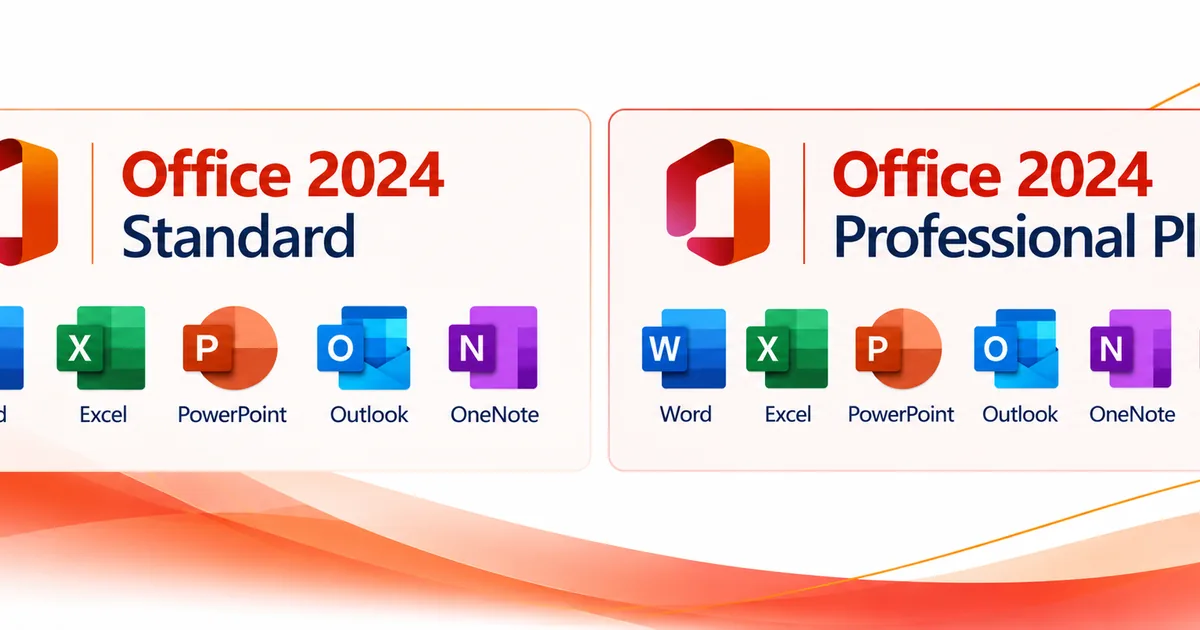
Office 2024 Standard vs Professional Plus comes down to one app: Microsoft Access. Both Windows editions include Word, Excel, PowerPoint, Outlook, and OneNote. Professional Plus adds Access for database work. If you don’t need Access, Standard gives you the same core Office apps.
These are the Office LTSC 2024 editions listed in Microsoft’s official volume licensing comparison. Pick the one that matches the apps your work needs. Microsoft describes Professional Plus as everything in Standard plus Access. The longer name on its own isn’t a reason to choose it.
What is included in Office 2024 Standard?
Office LTSC Standard 2024 includes the classic 2024 desktop apps most people use for documents, spreadsheets, presentations, email, and notes on a Windows PC. The apps are Word, Excel, PowerPoint, Outlook, and OneNote.
Word is for writing and editing documents, from letters and proposals to reports. Excel handles spreadsheets, calculations, and organizing data. PowerPoint is for building slide presentations. Outlook brings your email, calendar, tasks, and contacts together in one desktop app, and OneNote keeps your notes and research organized in notebooks.
Outlook matters if your business runs on a desktop email program. OneNote is worth calling out too. Microsoft’s suite comparison page lists Word, Excel, PowerPoint, and Outlook for Standard, and its Office LTSC 2024 overview on Microsoft Learn confirms that Office LTSC 2024 includes the OneNote desktop app.
Does Standard give you a different version of Word or Excel?
No. Microsoft lists the classic 2024 versions of Word, Excel, PowerPoint, and Outlook for Standard, and describes Professional Plus as everything in Standard plus Access. Microsoft doesn’t list a separate, more capable version of Word or Excel for Professional Plus. The extra app you get with Professional Plus is Access.
Knowing that can save you from buying more than you need. If your workday is mostly quotes, documents, expense spreadsheets, presentations, and email, Standard covers those apps. Look at Professional Plus when your work actually calls for Access, not because the longer name sounds like an upgrade.
You can view the Microsoft Office 2024 Standard License for Windows PC to see the edition Solved IT Services offers.
What does Office 2024 Professional Plus add?
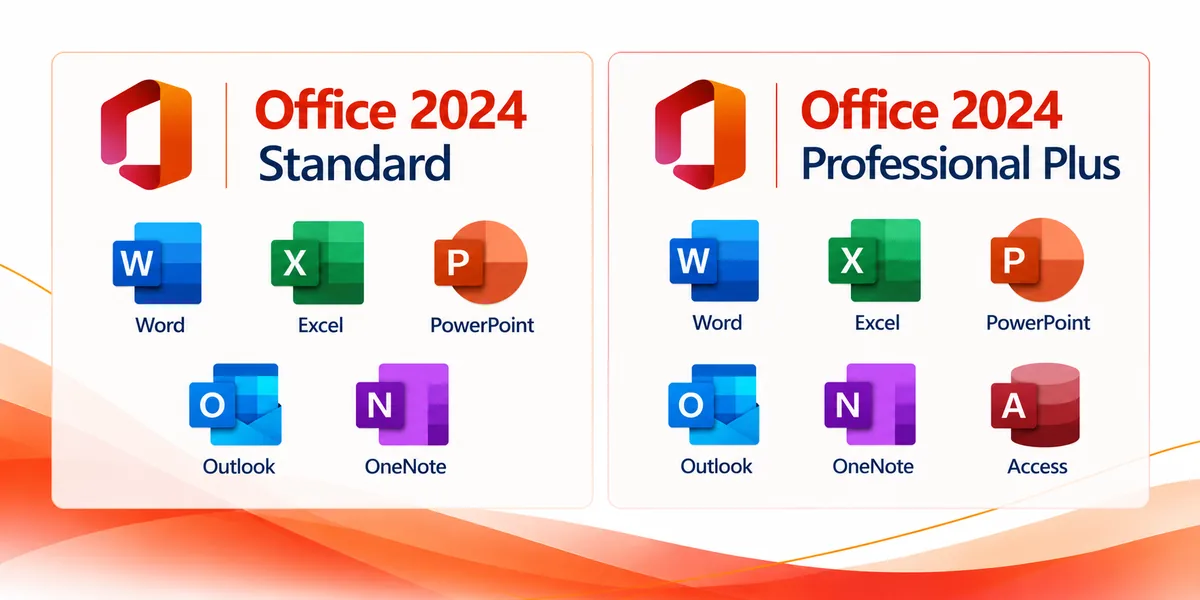
Office LTSC Professional Plus 2024 includes everything in Standard, plus Microsoft Access. Access is a database app for managing structured information, and it runs on Windows PCs only. It’s the one addition Microsoft shows in its Professional Plus comparison.
Access comes into play when your business already uses an Access database, has a department app built in Access, or needs to keep track of information across connected records. Think of an internal inventory database, an equipment register, or a workflow that depends on an existing database file. Those are examples of how businesses use Access, not databases that come with Office.
Professional Plus doesn’t replace the five shared desktop apps. It adds one specific tool that’s valuable to the people who need it. If nobody at your business opens or maintains Access databases, that extra app probably won’t change your day-to-day work.
For the edition with Access, see the Microsoft Office 2024 Professional Plus License.
Office 2024 Standard vs Professional Plus: What does the side-by-side comparison show?
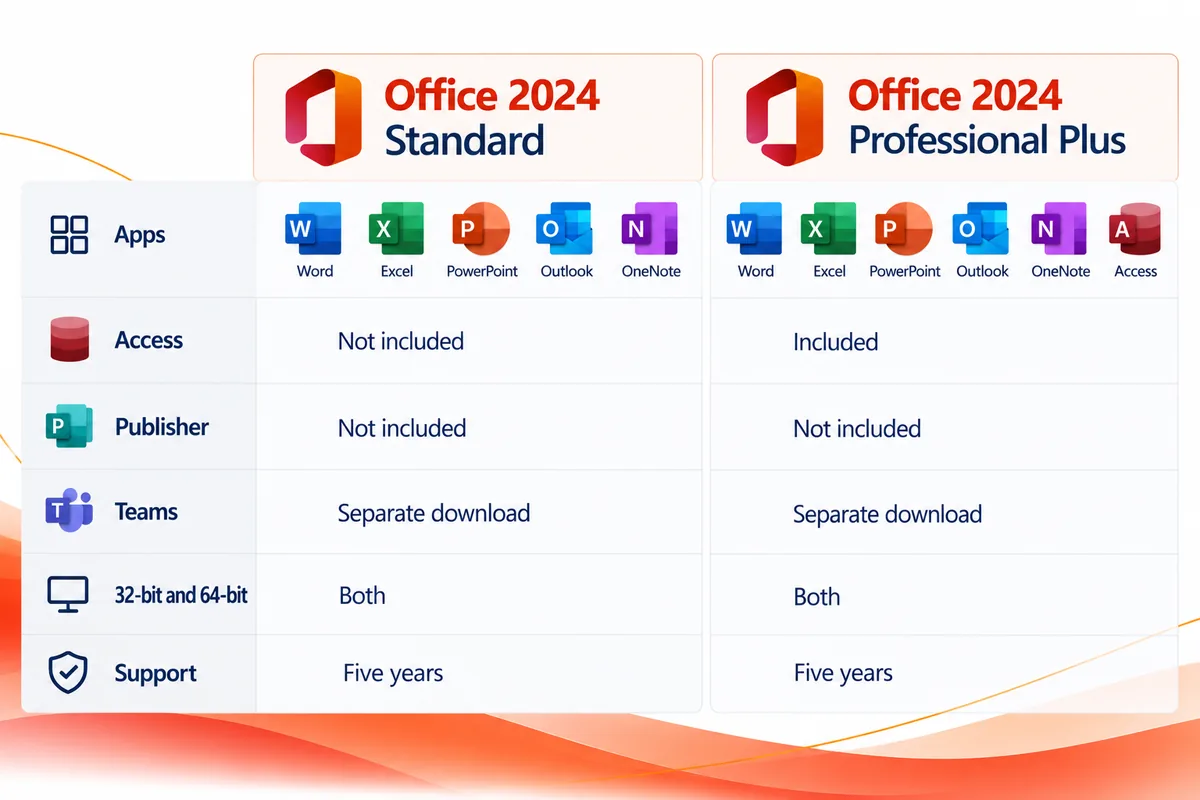
The table below covers the two Windows editions Microsoft calls Office LTSC Standard 2024 and Office LTSC Professional Plus 2024. It shows the one real app difference and what the two share.
| Application or detail | Office LTSC Standard 2024 | Office LTSC Professional Plus 2024 |
|---|---|---|
| Word 2024 | Included | Included |
| Excel 2024 | Included | Included |
| PowerPoint 2024 | Included | Included |
| Outlook 2024 | Included | Included |
| OneNote desktop app | Included | Included |
| Access 2024 | Not included | Included, Windows PC only |
| Publisher | Not included | Not included |
| Teams | Not preinstalled | Not preinstalled |
| Platform | Windows PC | Windows PC |
| 32-bit and 64-bit versions | Available | Available |
| Mainstream Support | Five years | Five years |
| Main reason to choose | Core Office desktop apps | Core Office apps plus Access |
Sources: Microsoft’s volume licensing suite comparison and Microsoft Learn’s Office LTSC 2024 overview.
The takeaway is clear: Access is the app difference. Professional Plus doesn’t add Publisher, and neither Office LTSC edition comes with Microsoft Teams preinstalled. That’s worth knowing, because similar product names can give you the wrong idea about what’s in the 2024 versions.
You’ll also see the term Office LTSC 2024. Microsoft offers these editions to organizations through volume licensing, and they keep the same feature set after launch instead of getting new features the way Microsoft 365 Apps does.
Do you need Microsoft Access?
The most useful question to ask is whether you need to work with Access databases. If your work happens in Word documents, Excel files, PowerPoint presentations, Outlook, and OneNote, Standard has you covered. Professional Plus is the clearer choice when Access is part of what you need.
When is Excel enough, and when is Access useful?
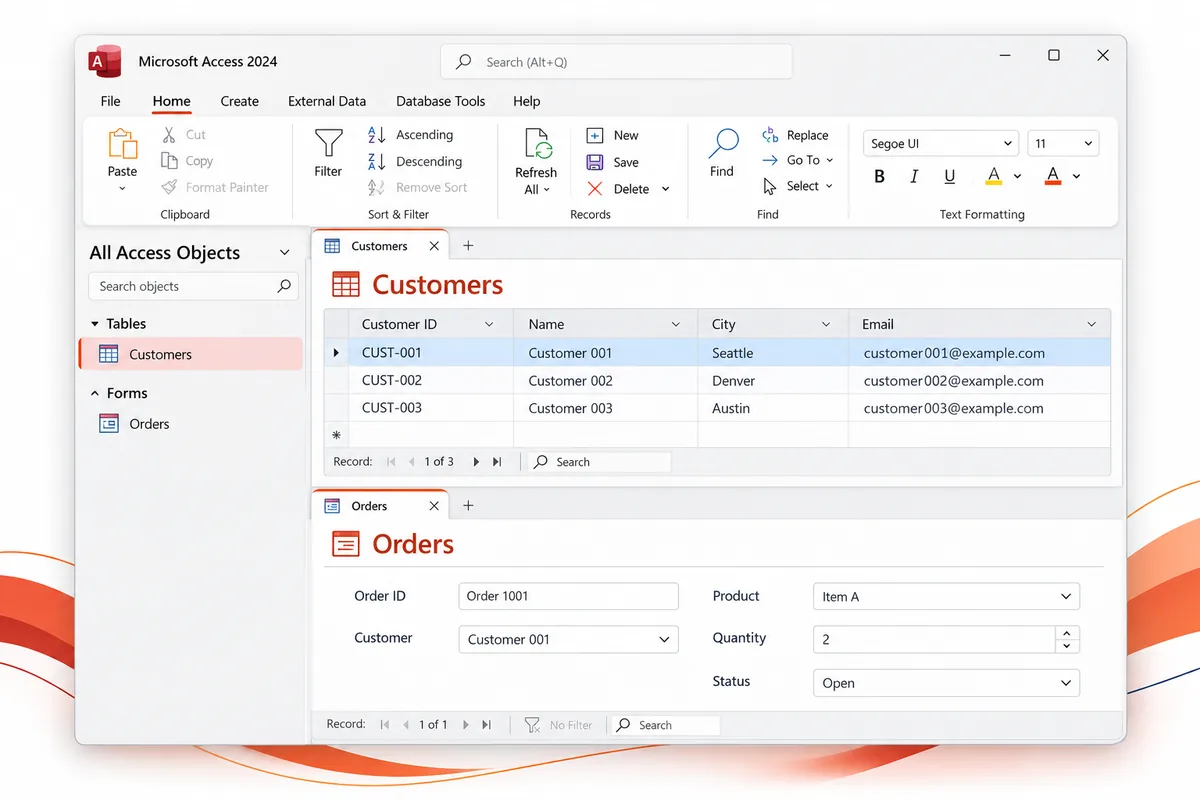
Excel works well for worksheets, calculations, charts, and lists. Access solves a different problem: it’s a database built around structured records and the relationships between them. For example, a small team might track a manageable list in Excel, while a department with an existing Access database needs Access to keep its records and workflows running.
This is about the type of work, not a rule that one tool is better than the other. Think about how your information is stored today, whether someone maintains an Access file, and which app your coworkers or vendors expect you to use.
For a closer look, see our Access vs Excel comparison.
What if you need Access but already have Office?
Start by checking which apps are installed and which license you have. If Access is the only app you’re missing, a separate Access license may cover what you need without replacing your whole Office suite. If you’d like to go that way, see Microsoft Access 2024 standalone.
If you’re picking a complete new Office suite and you know you need Access, Professional Plus is the more direct option. If Access is only a maybe, ask whoever manages your database or business software to confirm before you buy.
Does either edition include Publisher or Teams?
Neither Office LTSC Standard 2024 nor Office LTSC Professional Plus 2024 includes Microsoft Publisher. The words “Professional Plus” don’t mean every Microsoft desktop app is part of the suite. Microsoft’s Office 2024 and Office LTSC 2024 FAQ confirms that Publisher isn’t included.
Teams works differently. Teams is not preinstalled with Office LTSC 2024, but Microsoft says organizations that need it can download it separately. That isn’t the same as a Teams plan coming with your Office license.
If Teams is essential to your organization, check how you’ll get and license it separately. It shouldn’t drive your choice between Standard and Professional Plus, since neither edition comes with Teams preinstalled.
What are the system requirements for Office 2024 Standard and Professional Plus?
Microsoft publishes one set of baseline hardware requirements for Office LTSC 2024, covering both editions. A compatible version of Windows and enough free resources matter more here than whether you pick Standard or Professional Plus.
| Requirement | Microsoft minimum for Office LTSC 2024 |
|---|---|
| Processor | 1.1 GHz, two cores |
| Memory | 4 GB RAM |
| Available storage | 4 GB |
| Display resolution | 1280 x 768 |
| Architecture | 32-bit or 64-bit Office available |
These specs come from the Office LTSC 2024 overview on Microsoft Learn. Microsoft notes that 64-bit Office is required for 4K and higher display resolutions. The same page lists the supported operating systems, starting with Windows 11 and including Windows Server 2025 and Windows Server 2022. If your PC runs an older or specialized edition of Windows, check that list before you buy. Microsoft also gives Office LTSC 2024 five years of Mainstream Support.
Should you choose 32-bit or 64-bit Office?
Both are available. Microsoft recommends 64-bit on devices with 4 GB or more of memory, but the right choice also depends on your operating system, any Office apps you already have, and the add-ins or files your organization relies on. If your employer or a software vendor has installation instructions, follow those first.
It also helps to know whether Office is already installed on the PC. Microsoft advises removing earlier versions of Office before you deploy Office LTSC 2024. If you’re not sure about compatibility, send us your PC and app details and we’ll help you check before you order.
Which edition should you buy?
Choose Office 2024 Standard if you need Word, Excel, PowerPoint, Outlook, and OneNote on a Windows PC and don’t need Access. It’s the focused option for everyday documents, spreadsheets, presentations, email, and notes.
Choose Office 2024 Professional Plus if you need those same apps plus Microsoft Access. It’s the better fit if you use an Access-based business process, receive Access database files, or know your team needs the app.
If you’re setting up a PC at the same time, Solved IT Services also offers a Microsoft Windows 11 Pro and Office 2024 Pro Plus Digital License bundle. Check that the editions in the bundle are the ones you need before you choose it.
What if you meant Office Home, Home & Business, or Microsoft 365?
Office Home 2024 and Office Home & Business 2024 are separate products from the two LTSC editions covered here. To compare those, read our Office 2024 Home vs Home & Business vs Professional Plus guide. This article sticks to Standard and Professional Plus to avoid repeating that comparison.
Searches like Office 365 Business Standard, Office 365 Pro Plus, and Microsoft Office 365 Pro Plus point somewhere else again: Microsoft 365 subscription plans. Microsoft renamed Office 365 ProPlus to Microsoft 365 Apps for enterprise in April 2020. Microsoft’s LTSC overview explains the difference: Office LTSC 2024 doesn’t receive feature updates after launch, while Microsoft 365 Apps gets ongoing feature updates through a subscription.
Before you buy an Office 2024 product key or license, double-check the exact edition. The names look alike, but the apps you need and how you plan to install them decide the right purchase.
Why buy from Solved IT Services?
Solved IT Services helps you pick Microsoft software based on what you actually need, not an edition packed with apps you won’t use. If you’re comparing Office Standard with Office Professional Plus 2024, our team can help you figure out whether you need Access and which listing matches your PC setup.
- Microsoft Solutions Partner and certified reseller: You’re working with a business focused on Microsoft software and licensing.
- More than 12 years in business: Years of experience helping customers get the right software and put it to work.
- Many industry relationships: Connections across the software industry that back up our product knowledge and customer service.
- Fast estimated delivery: Estimated delivery within 30 minutes or less from the time of purchase.
- US-based 24/7 support: Help with product questions, installation, and activation, any time you need it.
We guarantee full installation and full activation of every product we sell, or your money back. See the SIS Guarantee.
Our goal is to make the choice clear before you buy. Confirming whether you need Access, checking that your version of Windows is compatible, and knowing what the listing includes can keep you from buying software that doesn’t fit your work.
What are the frequently asked questions about Office 2024 Standard vs Professional Plus?
For the included apps, yes. Both Office LTSC 2024 editions for Windows include Word, Excel, PowerPoint, Outlook, and OneNote, and Microsoft describes Professional Plus as everything in Standard plus Access. Our support team can help with questions about a specific listing.
Yes. Outlook is included in both Office LTSC Standard 2024 and Office LTSC Professional Plus 2024. You don’t need Professional Plus to get Outlook.
It depends on the edition. Office LTSC Professional Plus 2024 includes Microsoft Access for Windows PCs. Office LTSC Standard 2024 does not.
Yes. Microsoft Learn says Office LTSC 2024 includes the OneNote desktop app. You get it alongside Word, Excel, PowerPoint, and Outlook in either edition.
Neither Office LTSC 2024 edition includes Publisher. Microsoft Teams isn’t preinstalled, but it’s available as a separate download. Check your Teams licensing and setup needs on their own.
No. Office LTSC Professional Plus 2024 is a fixed-release desktop edition. Office 365 ProPlus is now called Microsoft 365 Apps for enterprise, which comes with a subscription and gets ongoing feature updates. The names are similar, but the products work differently.
If you already have the Office apps you need and Access is the only one missing, a standalone Access license may be worth a look. See the Access 2024 standalone option and check compatibility before you buy.
Ready to choose your Office 2024 edition?
Compare the Microsoft Office 2024 Standard License for Windows PC and the Microsoft Office 2024 Professional Plus License, then pick the apps your work needs. If you’re buying for a team, need help deciding on Access, or have a licensing question, email support@solveditservices.com or request a quote.