

Microsoft 365 Premium vs Office 2024: Which Should You Buy?
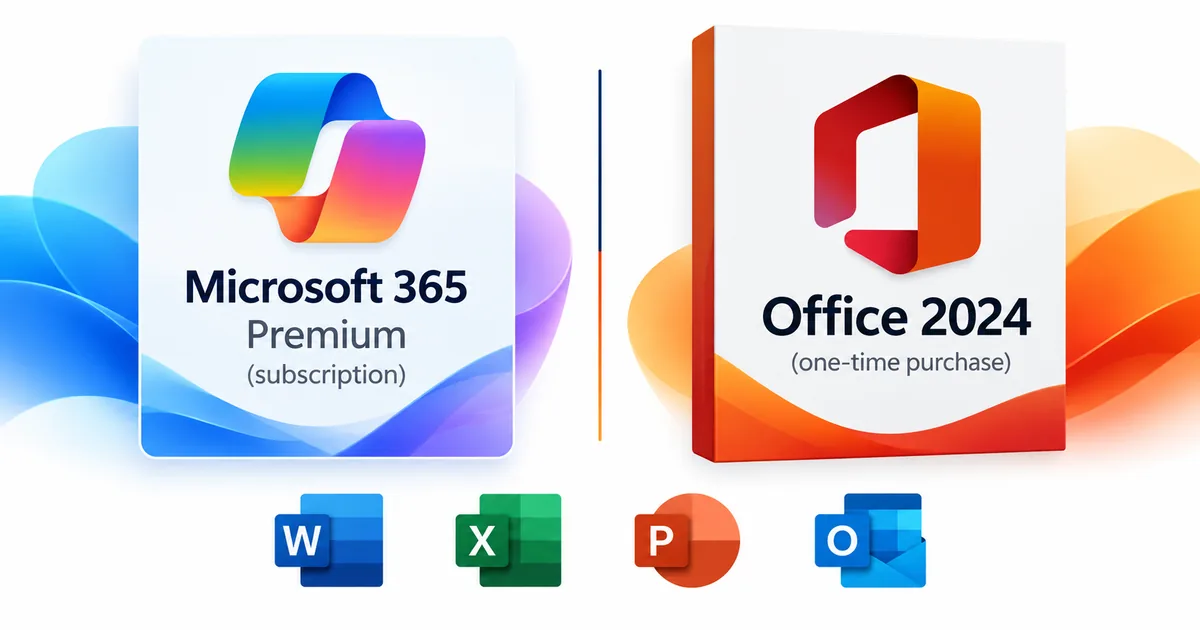
Microsoft 365 Premium is a subscription for people who want the latest Office apps, advanced Copilot features, and shared cloud storage. Office 2024 is a one-time purchase of the classic desktop apps. Here’s our take: if you work mostly on one computer and don’t lean on AI every day, Office 2024 is the better buy. If you use Copilot heavily, move between several devices, or want to share Office across a household, Premium is worth the subscription. Solved IT Services sells Office 2024 editions and selected Microsoft 365 plans, but we do not sell Microsoft 365 Premium.
What is Microsoft 365 Premium?
Microsoft 365 Premium is Microsoft’s consumer subscription built around the Office apps, cloud services, and expanded AI features. Microsoft introduced Premium on October 1, 2025, combining everything in Microsoft 365 Family and the former Copilot Pro subscription, plus extra Copilot capabilities.
The official Microsoft 365 Premium product page lists Word, Excel, PowerPoint, Outlook, and OneNote (plus Access on PC), along with OneDrive storage, Microsoft Defender, and Copilot. The plan covers one to six people. Each person can install the apps on PCs, Macs, phones, and tablets and sign in on five devices at once.
Here’s the catch many people miss: Premium’s AI features belong to the subscription owner and can’t be shared with the other members. Usage limits apply, and availability varies by app and device.
How much OneDrive storage does Microsoft 365 Premium include?
New Microsoft 365 Premium subscriptions starting October 8, 2026 get 2 TB of pooled OneDrive storage, shared by everyone on the plan. That’s 2 TB in total, not 2 TB per person. Each member’s files stay private.
Existing Family and Premium subscriptions move to pooled storage when they renew on or after May 2, 2027. You’ll find the details in Microsoft’s Introducing Microsoft 365 support article.
What do you get with Office 2024?
Office 2024 gives you the classic desktop versions of the Office apps for a one-time purchase instead of a subscription. You install it, activate it online, and keep working in the same version you bought.
The apps you get depend on the edition. Office Home 2024 includes Word, Excel, PowerPoint, and OneNote. Office Home & Business 2024 adds Outlook. Office 2024 Professional Plus adds Access, Microsoft’s database app for Windows.
Office 2024 gets security updates, but Microsoft doesn’t add new features the way it does for Microsoft 365 subscribers. The next major version of Office isn’t included either. Office 2024 also doesn’t come with Premium’s advanced Copilot features, a OneDrive storage allowance, or other Microsoft 365 subscription services.
You can save files on your computer, work offline after activation, and use any cloud storage you like. Microsoft’s Office 2024 and Office LTSC 2024 FAQ covers these differences.
How does Microsoft 365 Premium vs Office 2024 compare at a glance?
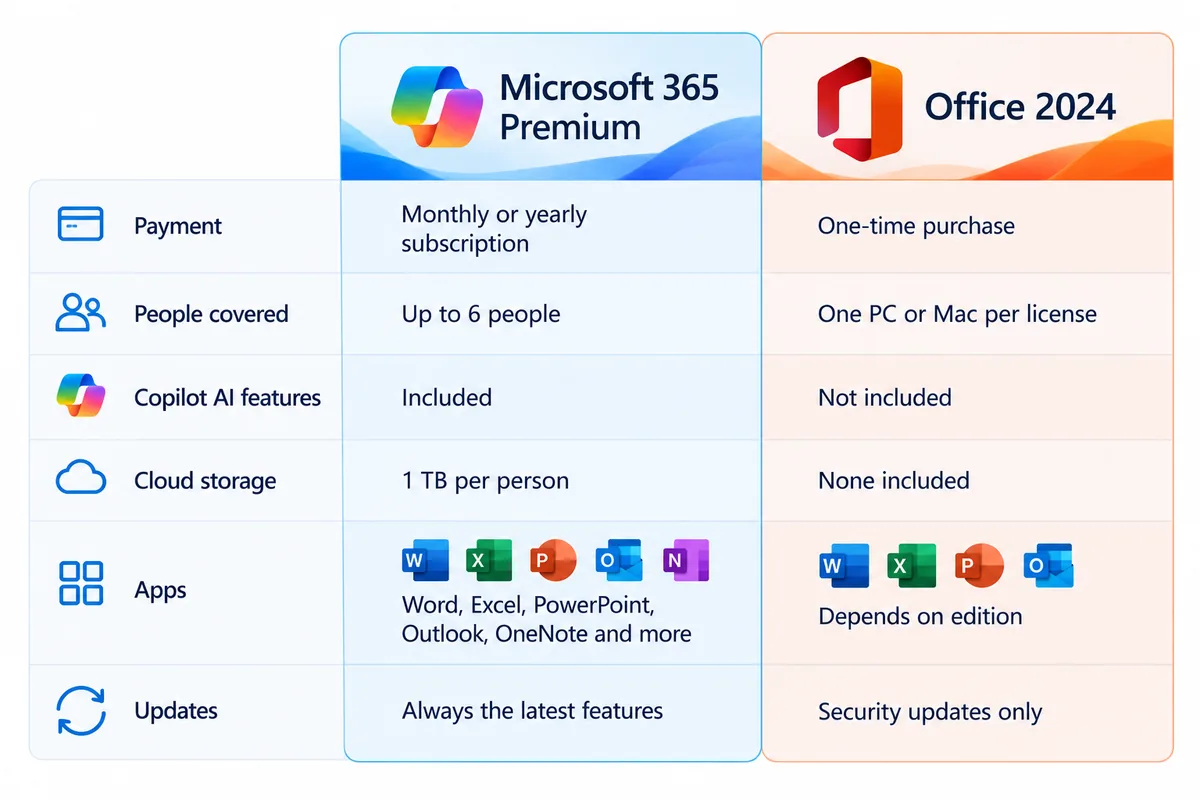
| Feature | Microsoft 365 Premium | Office 2024 |
|---|---|---|
| Purchase model | Recurring subscription | One-time purchase |
| Desktop apps | Always-current Word, Excel, PowerPoint, Outlook, OneNote, plus Access on PC | Classic 2024 apps; exact apps depend on the edition |
| Copilot AI | Advanced features and higher usage limits for the subscription owner | Premium Copilot features not included |
| People and devices | One to six people; each can sign in on five devices at once | Microsoft says it installs once, on one PC or Mac |
| Cloud storage | 2 TB pooled OneDrive for new Premium subscribers from October 8, 2026 | No OneDrive storage included |
| Feature upgrades | New features while you’re subscribed | Security updates, no new features |
| Platforms | PCs, Macs, tablets, and phones | Windows or Mac, depending on edition; Professional Plus is Windows-only |
| Best fit | Heavy AI use, several devices, cloud services, and household sharing | Familiar desktop apps, one main computer, and no recurring Office bill |
Both options give you desktop Office apps. The real question is whether you need Premium’s AI, cloud services, and multi-device flexibility. See Microsoft’s Office 2024 versus Microsoft 365 comparison for how Microsoft explains the two models.
Do you need Copilot in Microsoft 365 Premium?
Copilot is the biggest reason to pick Premium over a one-time Office 2024 license. If you draft, analyze data, or build presentations with AI help most days, it can earn its place. If you rarely use AI, you’d be paying for tools you won’t use.
What does Microsoft 365 Premium Copilot add?
Microsoft builds Copilot into Word, Excel, PowerPoint, OneNote, and Outlook. Premium adds access to Microsoft’s Researcher and Analyst agents, along with higher usage limits for AI tasks. As with any AI tool, you’ll still want to review what it produces.
Availability and eligibility vary, and usage limits still apply. Check Microsoft’s Premium announcement for the official feature list and limits.
What happened to Copilot Pro?
Microsoft built Premium as a combined plan that brought together Microsoft 365 Family and Copilot Pro. When it launched Premium, Microsoft said it would no longer sell Copilot Pro as a separate product. If you’re reading an older article about Copilot Pro, go by Microsoft’s current Premium details instead of assuming Copilot Pro is still available to buy.
Can you use Copilot with Office 2024?
Office 2024 doesn’t include the built-in Copilot features that come with Microsoft 365 Premium. You can still use separate AI tools in a web browser or other apps, but that’s not the same as having Copilot built into your Microsoft 365 apps. Don’t buy Office 2024 expecting Premium’s AI features to come with it.
What do you own with a subscription versus an Office 2024 one-time purchase?
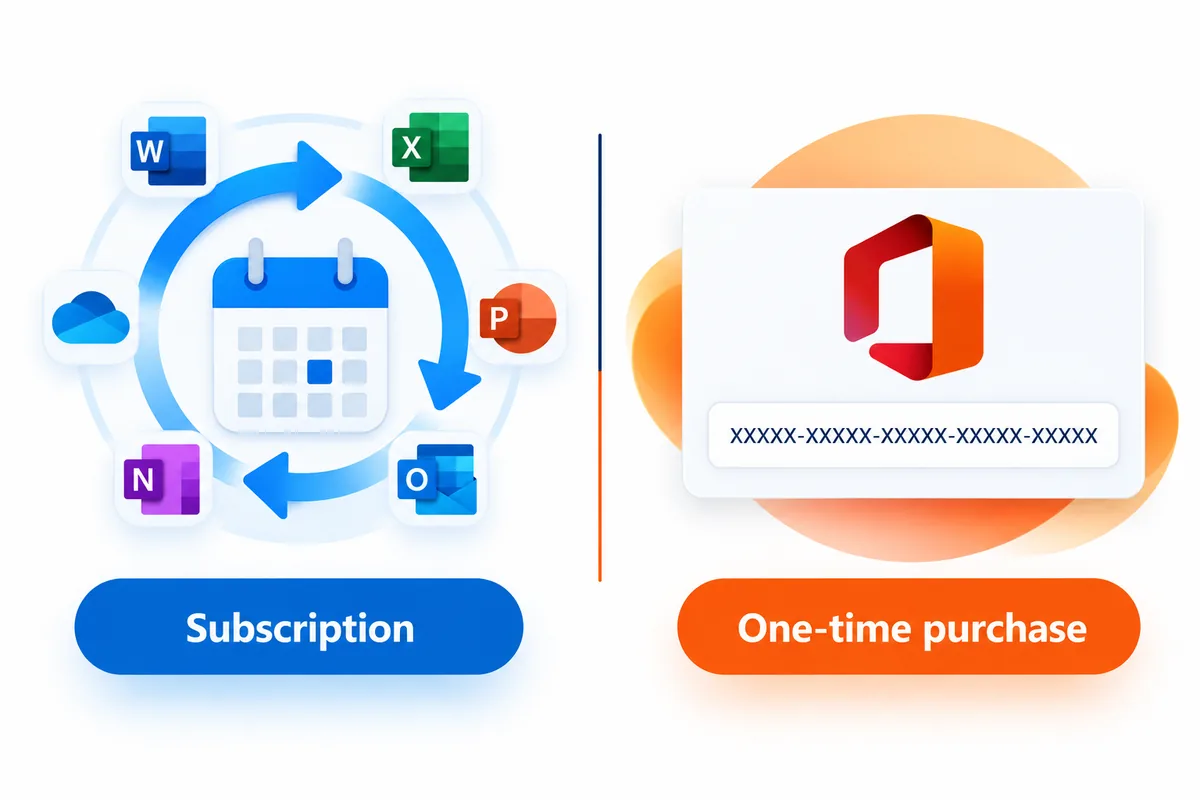
With a Microsoft 365 Premium subscription, you get the apps and services for as long as your subscription is active. That includes app updates, online services, and eligible AI tools. If the subscription lapses, Microsoft says the apps switch to reduced functionality mode: you can open, view, and print your files, but you can’t edit or create new ones until you renew. Your OneDrive storage also drops back to the free amount. Microsoft explains what happens when a subscription expires.
With an Office 2024 one-time purchase, you get a license to use one specific edition of Office. It doesn’t include future versions. Microsoft says a one-time purchase installs once, on a PC or Mac.
Both options install the apps on your computer and work offline once they’re set up. Microsoft 365 apps need to connect to the internet at least once a month to stay fully working. Office 2024 needs internet access to install and activate.
For more on the terminology, read our Microsoft Office lifetime license guide. The key difference is a one-time license for one specific version of Office versus ongoing access through a subscription. A one-time license doesn’t come with free future upgrades.
Who should choose Microsoft 365 Premium, and who should choose Office 2024?
Who benefits most from Microsoft 365 Premium?
Premium makes sense if you use Copilot a lot, switch between several devices, and want Office apps, online storage, and security tools in one subscription. It also works for households with several Office users, as long as everyone understands that the premium AI features are for the subscription owner only.
If several people need Office but only one person relies heavily on AI, compare Microsoft 365 Premium vs Family closely. Microsoft 365 Family gives you household app sharing, pooled storage, and Copilot for the owner, while Premium adds more Copilot access and extra features for the owner. Six people on Premium does not mean six advanced AI subscriptions.
Who benefits most from Office 2024?
Office 2024 is usually the better fit for students, households, freelancers, and businesses that work on one main computer and would rather skip subscription renewals. It’s a practical choice when the familiar desktop apps cover your work and you handle cloud storage or AI some other way.
Picture a student writing papers on one laptop, an office manager working in Outlook and Excel at a desk, or a Windows user who keeps records in an Access database. The apps each person needs should decide the edition.
If your organization needs managed accounts, custom-domain email, or centrally managed collaboration, look at business subscriptions instead of a consumer plan like Premium. Our Office 2024 vs Microsoft 365 small-business guide covers that decision. We also carry Microsoft 365 Business Standard – 1 Year License for customers who want a business subscription.
Which Office 2024 edition fits your needs?
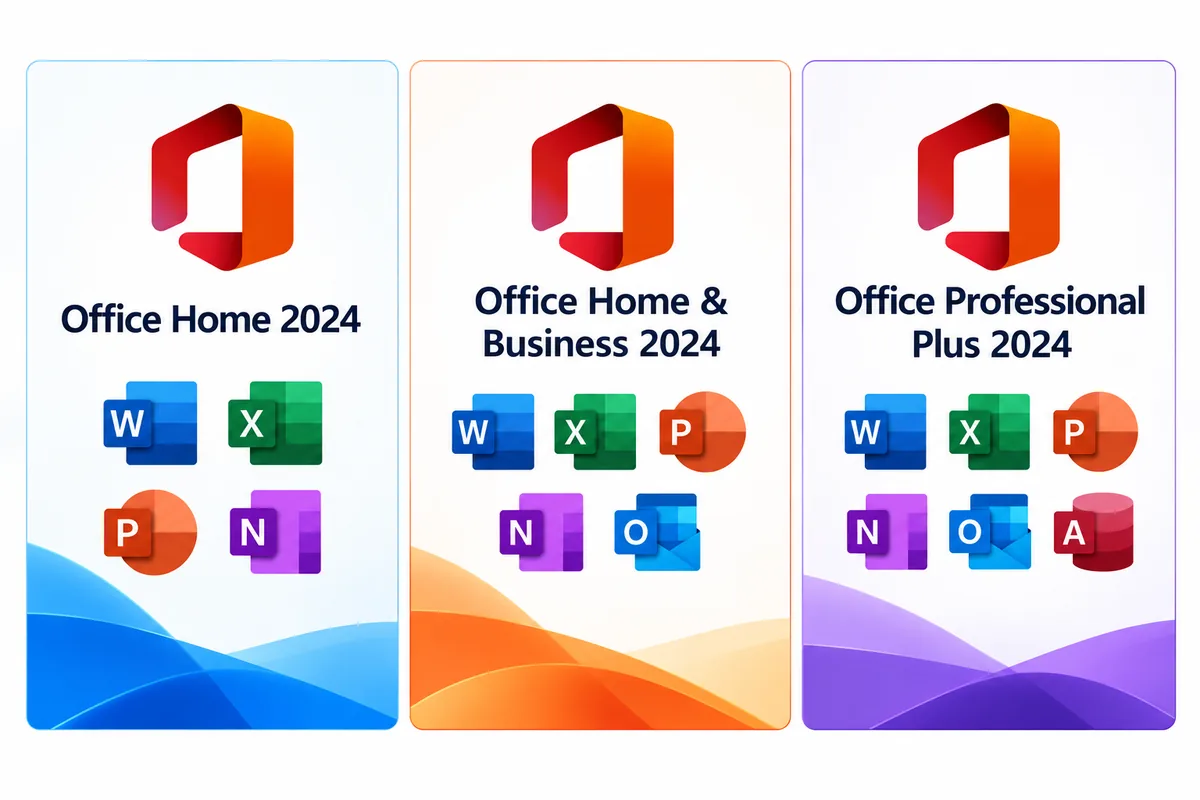
Before you order, check the included apps, system requirements, and permitted use on the product page.
Is Office Home 2024 enough for students and families?
Microsoft Office Home 2024 includes Word, Excel, PowerPoint, and OneNote for a Windows PC or Mac. Office Home & Business 2024 adds commercial-use rights, per Microsoft. Office Home 2024 does not include desktop Outlook, which matters if you manage your email in Outlook.
For homework, household paperwork, presentations, and everyday spreadsheets, Office Home 2024 is a solid way to get Office without subscription fees.
Should a business choose Office Home and Business 2024?
Microsoft Office Home & Business 2024 for Windows or Mac adds Outlook to Word, Excel, PowerPoint, and OneNote. Home & Business adds commercial-use rights, per Microsoft. It suits professionals who want desktop email and productivity apps on their computer without a subscription.
It works well when your business email and cloud storage are already set up elsewhere.
When does Office 2024 Professional Plus make sense?
Microsoft Office 2024 Professional Plus includes Word, Excel, PowerPoint, Outlook, OneNote, and Access. It’s Windows-only, and it’s the one to pick when Access databases are part of your work. Check the system requirements and installation details on the product page before you buy.
You can browse our full Microsoft Office 2024 collection to compare editions and delivery formats.
Why buy from Solved IT Services?
If Office 2024 or one of our Microsoft 365 plans fits what you need, we can help you choose the right product and get it installed. We don’t sell Microsoft 365 Premium. For that subscription, go to Microsoft’s official Premium page.
- Microsoft Solutions Partner and certified reseller: We know Microsoft’s editions and licensing options and can help you find the right fit.
- More than 12 years in business: Our team has a long track record in software sales and support.
- Many industry relationships: Our relationships across the industry help us source and support the software we offer.
- Fast digital delivery: Estimated delivery within 30 minutes or less from the time of purchase.
- US-based 24/7 support: Our team is here around the clock for installation, activation, and order questions. If something isn’t working, contact support and we’ll fix it.
We guarantee full installation and full activation of every product we sell, or your money back. See the SIS Guarantee.
If you’d rather have a subscription we carry, see Microsoft Office 365 Personal – 1 Year License, Microsoft 365 Personal – 1 Year License – Retail Box, or Microsoft 365 Business Standard – 1 Year License. Check each product page for its terms and delivery format.
What are the most common questions about Microsoft 365 Premium and Office 2024?
Yes. If Word, Excel, PowerPoint, and the other apps in your edition cover your work, Office 2024 gives you a one-time purchase with no Microsoft 365 subscription to renew. You give up Premium’s cloud services and advanced AI features, but you keep the classic desktop apps in the edition you bought.
Both are consumer plans for up to six people. Premium gives the subscription owner higher AI usage limits and advanced Copilot features like Researcher and Analyst. Family includes Copilot too, and on both plans the AI features stay with the owner and can’t be shared with other members. Under Microsoft’s October 2026 change, new subscribers to either plan get 2 TB of pooled OneDrive storage.
No. Microsoft said it would stop selling Copilot Pro as a standalone subscription when it launched Microsoft 365 Premium in October 2025. Check Microsoft’s current subscription pages for available plans and features.
When people say lifetime license, they usually mean a one-time purchase like Office 2024: you pay once instead of renewing a subscription. It doesn’t mean free future versions. Microsoft includes security updates for Office 2024 but no new features, and the next major release is a separate purchase. Check the details of the edition you’re buying.
No. Office Home 2024 includes Word, Excel, PowerPoint, and OneNote, but not Outlook. If you need desktop Outlook on a Windows PC or Mac, look at Office Home & Business 2024.
Microsoft says a one-time purchase of Office 2024 installs once, on one PC or Mac. If you need Office on several computers, buy a license for each one, or choose a Microsoft 365 plan that lets you sign in on five devices at once. Check the product page for the license details of the edition you choose.
No. This article explains Microsoft 365 Premium using Microsoft’s official information, but Premium isn’t something we sell. We do sell Office 2024 editions and other Microsoft 365 plans, including Microsoft Office 365 Personal – 1 Year License and Microsoft 365 Business Standard – 1 Year License.
Ready to choose between Microsoft 365 Premium and Office 2024?
If you want Office without a subscription, start with our Office 2024 editions. For a subscription, see Microsoft 365 Personal – 1 Year License – Retail Box or Microsoft 365 Business Standard – 1 Year License. We don’t sell Microsoft 365 Premium.
Need help picking the right edition or plan? Email support@solveditservices.com or request a quote with your device, the apps you need, and how you’ll use them. We’ll help you find the right product.